How to Write an Operating Brief for an AI Agent (and When Not to Build One)
On August 14 I switched off almost every AI agent running my company.
Every one of them was working fine. I still could not tell you what any of them was responsible for. That is a strange thing to admit about software you built yourself. It is also, I think, the normal state of most AI agents in most companies right now.
When I started turning them back on, one at a time, I found four problems before a single agent posted anything. The first one is the reason this guide exists.
The agent that reported healthy for 20 days
The first agent back on is called Lens. Its job is to grade our marketing every Friday and post the result to Slack.
Before I let it run, I checked what it would actually read. The database behind it had stopped being updated on August 12. Twenty days of nothing.
Lens would have run fine. It would have pulled those old rows, written a clean summary, and posted it Friday as “this week.” Nobody would have caught it. The data was there. It was just old.
Then I found the worse one. The system that runs these jobs has a skip switch. A skipped job still reports success. So a dead job looked healthy on every dashboard I had.
Then the opposite problem. Nine agents were still switched off on purpose. The alarm system did not know that. Its first run would have fired nine alerts about agents that were fine. That is how an alarm dies. It cries wolf on day one and everyone learns to ignore it.
None of these were model failures. The models were fine. Every one of them was a work design failure. I had given the agents memory, tools and a schedule, and called that automation. It was not. Those three things without a defined job do not automate work. They let confusion run on a schedule.
Tasks have a finish line. Roles have responsibility.
The fix starts with a distinction that sounds obvious and changes everything once you apply it.
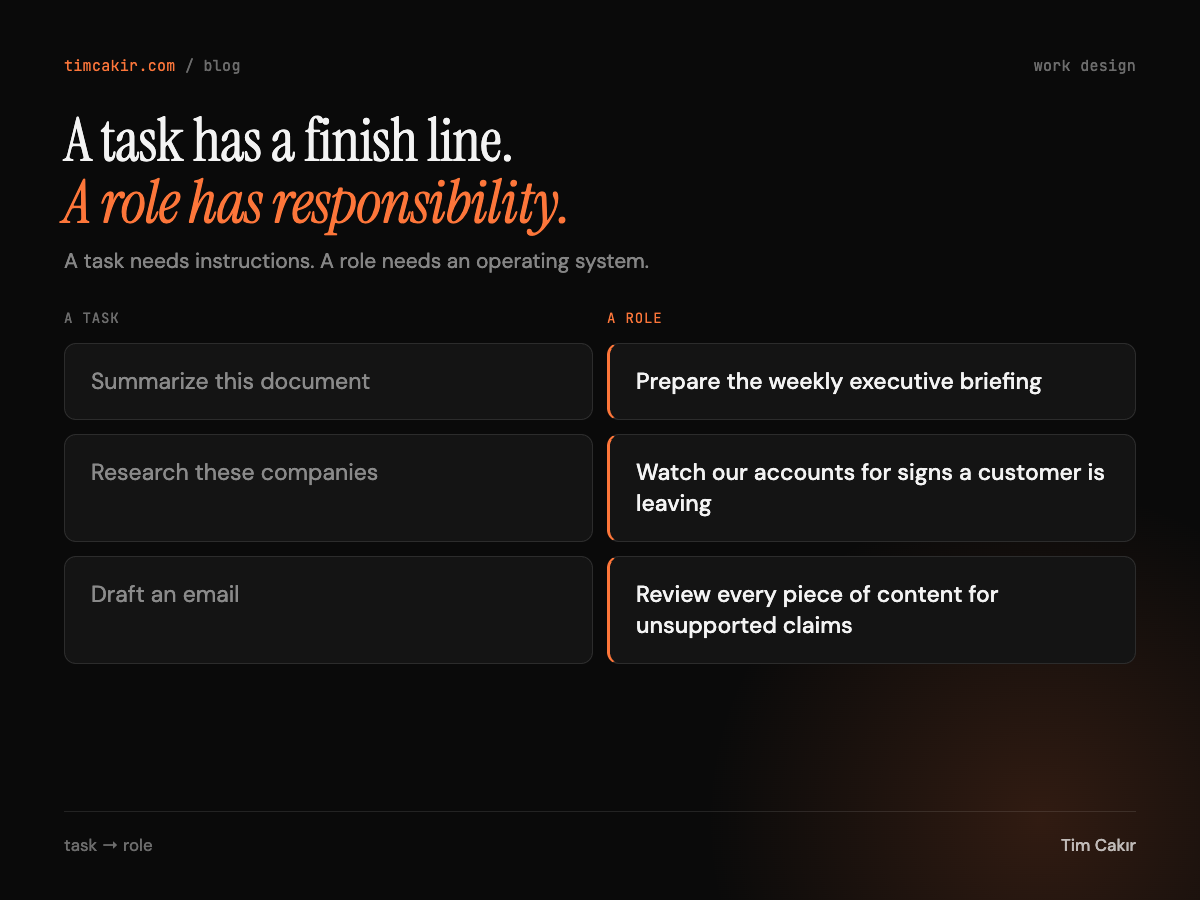
A task needs instructions. You write a good prompt, you get a good output, you are done.
A role needs an operating system. It needs a defined outcome, the right sources, a repeatable method, decision boundaries, a way to judge the work, and a process for exceptions. Give an agent memory, tools and a schedule without those six things and you have not automated anything. You have a task running on repeat with nobody responsible for the result.
The durable skill here is work design, not prompting. Most recurring work in a company carries hidden knowledge: which sources people trust, which exceptions experienced staff notice, which mistakes are expensive, when to stop and ask. Writing the brief makes that knowledge explicit. And the brief outlives whichever model or vendor happens to run it this quarter.
The six questions to answer before you build
I now score every candidate job before I build anything for it. One point per question you can answer in writing today.
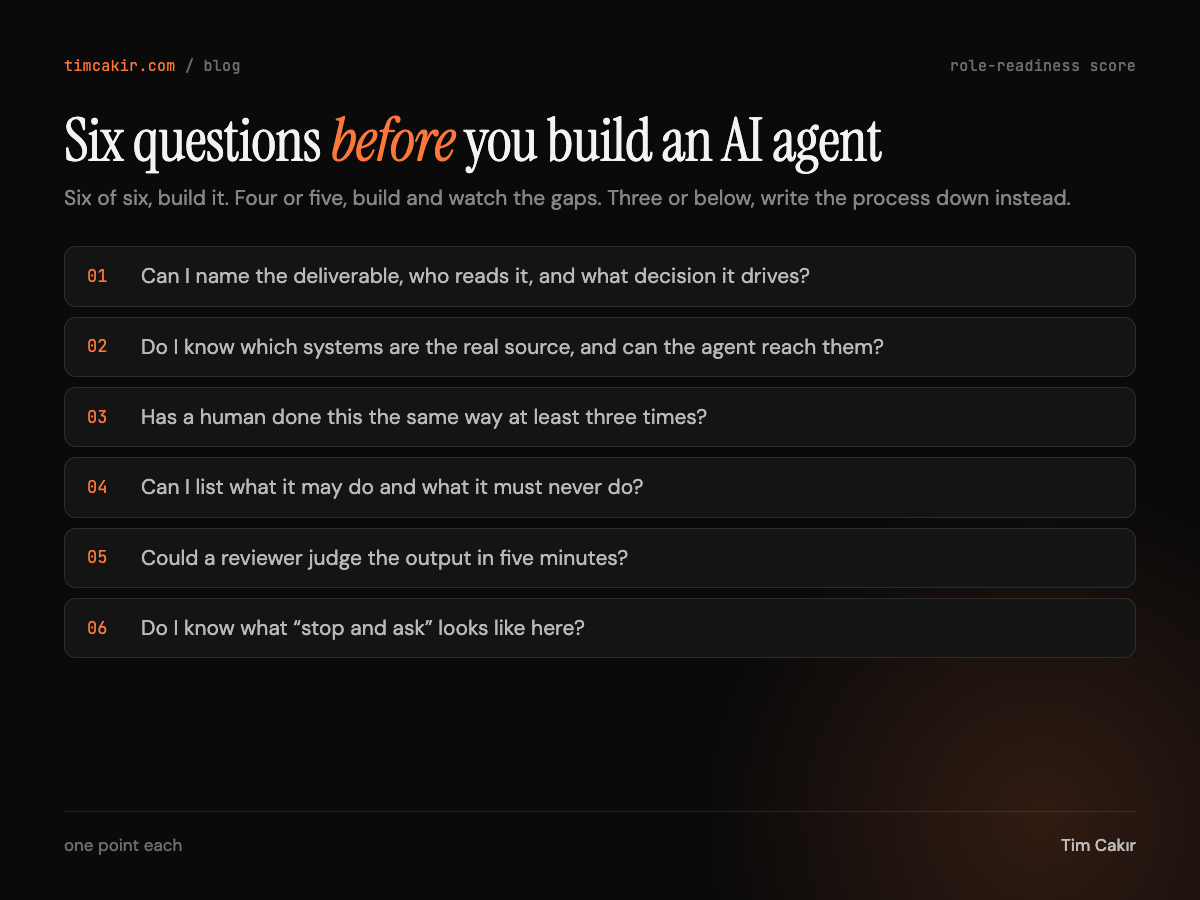
1. Can I name the deliverable?
What gets produced, who reads it, how often, and what decision it supports. “Produce a source-linked customer-risk report every Monday for the CS lead, flagging accounts that need a human this week” creates accountability. “Help with customer success” creates activity.
2. Do I know which systems are the real source?
Which systems are authoritative for the facts this role needs, and can the agent actually reach them? This is the question Lens failed. I knew which database it read. I never asked whether that database was still being fed.
3. Has a human done this the same way at least three times?
If nobody has done the job consistently, there is no method to encode. You would be automating a guess.
4. Can I list what it may do and what it must never do?
“Be careful” is not a boundary. “Draft the message, do not send it, stop for approval and show the recipient, subject, body and evidence” is a boundary.
5. Could a reviewer judge the output in five minutes?
If there is no acceptance standard a busy person can apply quickly, the work will not get reviewed. Unreviewed automation is where the expensive mistakes live.
6. Do I know what “stop and ask” looks like?
What triggers a stop, who gets told, and what the agent hands over when it stops. “I found nothing” is a valid, reportable result. Padding it is a failure.
Scoring: six out of six, brief it and build. Four or five, brief it, and the missing items become the first things you validate. Three or below, do not build an agent. Document the process first. That step is usually where the real value was hiding anyway.
The operating brief: one page, five parts
One page per agent, written before anything gets built. If it does not fit on one page, the role is not defined yet.
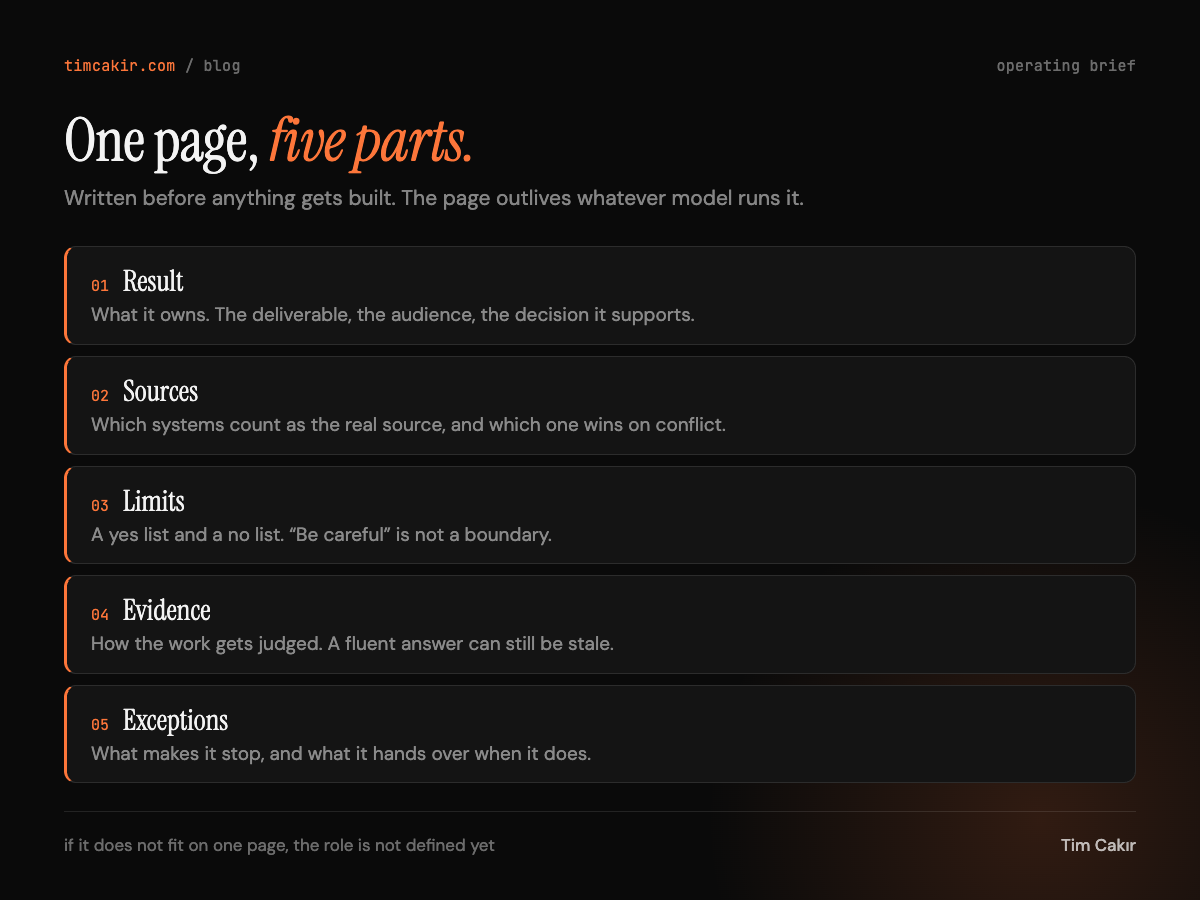
Result
The outcome the role owns: deliverable, audience, frequency, and the business decision it supports. Write it as one sentence you could put on a job description. “Every Monday, produce X for Y so that Z can decide W.” Add a line for what is not in scope, so the role cannot quietly expand into adjacent work.
Sources of truth
Which systems are authoritative, in priority order, and which one wins when they disagree. Use system A, flag the conflict, or stop and ask. Pick one.
One rule matters more than the rest here. Preferences live in memory. Facts live in source systems. An agent that remembers last month’s numbers and treats them as current is the most common silent failure I see. Memory is for format, tone and reviewer preferences. Every fact gets re-read from the source on every run.
Limits
An explicit allow list and deny list. The default posture is automate preparation before execution. Sending, publishing, purchasing, deleting, changing production records and changing account status all stay behind a human until the ladder (below) says otherwise.
My newsletter agent’s deny list includes “send a newsletter” and “use a statistic that does not trace to a source.” Its budget is a maximum number of tool calls per run, because one unbounded loop earlier this year cost real money in three hours.
Evidence
How the work will be judged. A fluent answer can still be wrong, stale or incomplete, so every role ships with an evidence standard.
- Research roles: links to original sources, publication dates, fact separated from inference, disagreements noted, an explicit “insufficient evidence” status.
- Operational roles: action log, input and output timestamps, missing-data warnings, failed steps recorded, items awaiting approval listed.
- Content roles: every claim mapped to a source, brand and style checks, unresolved questions listed.
Then three to five acceptance checks a reviewer can apply in five minutes.
Exceptions
What triggers a stop, who is notified, and what the agent hands over when it stops: the partial work plus the reason. Empty output is a result. Silence is not.
The automation ladder: from draft to delegate
Never move straight from a good chat to an unattended routine. A build climbs five steps, and someone accountable signs each one.
1. Draft
The agent prepares work and takes no external action. Exit: the first output is reviewed by the person who owns the process.
2. Validate
The same workflow runs on several real examples. Minimum three, from different weeks or datasets. Exit: a log of what failed, what varied, and what needed human judgment.
3. Standardize
The corrections become explicit instructions, acceptance criteria and exception rules in the brief. Exit: brief v2 is signed, and a reviewer can apply the criteria without the builder in the room.
4. Schedule
It runs automatically. Consequential actions still sit behind human approval. Exit: four consecutive runs meet the evidence standard with no unreviewed exception.
5. Delegate
Selected low-risk actions are allowed without approval. Exit: a named action list is approved by the sponsor, and the revocation path has been tested.
A routine is the final result of a stable process, not the first attempt to create one. Autonomy should grow more slowly than capability. The models can already do more than most briefs allow. That gap is deliberate.
This is where my nine agents are right now: on trial at step 3, each one checked against the standard written into its own brief. Pass and it keeps its schedule. Fail and it comes back out.
Seven security questions before you connect anything
Persistent access changes the security model. Agents that share one account share files, browser sessions and logins, so separate agents are not separate security zones. Before an agent touches a real system, answer these in writing:
- Does it need write access, or would read-only work?
- Does it need the whole account, or one narrow dataset?
- Can it prepare a draft instead of performing the action?
- What happens if a page or document it reads contains misleading instructions?
- Where can a human inspect its work?
- How quickly can the routine be paused and access revoked?
- Will sensitive files or authenticated sessions remain available to other agents?
If you cannot answer the fourth one, do not connect the agent to anything that reads the open web.
The one-week exercise
Pick one recurring task that takes 30 minutes to two hours. A weekly status report. Reviewing sales calls. Summarizing customer feedback. Checking analytics for unusual changes. Turning meeting notes into action lists.
Write the one-page brief for it. Run it manually once. Correct the output. Run it again on a different week’s data. Only then consider scheduling it.
Most people cannot finish the sources section on the first pass, and that is the finding. The hidden knowledge in that job lives in somebody’s head. Which numbers they trust. Which exceptions they catch. When they stop and ask a human. Writing it down is most of the work. The agent is the easy part.
This teaches more about agent design than ten vaguely defined bots.
Frequently asked questions
Does this apply to a ChatGPT prompt I use every day? If you run it yourself and check the output every time, it is a task and a prompt is enough. The brief is for work that runs without you watching. The moment you schedule something, it became a role.
How long should a brief be? One page. If it does not fit, the role is not defined yet. Split it or shrink it.
What if I score three out of six? Do not build the agent. Write the process down as if training a new hire. In my experience that document is worth more than the agent would have been, and it makes the agent easy to build later.
Does this work for no-code tools like Zapier or Make? Yes. The brief is tool-agnostic on purpose. A Zap with a schedule and no evidence standard is exactly the failure described at the top of this post.
Who owns the brief? The person who owns the outcome, not the person who built the agent. If those are different people, the brief is the contract between them.
Where did this framework come from? It is adapted from Sunil Ramlochan’s piece on work design, which is worth reading in full. I turned it into the scoring, the five-part brief and the ladder because I needed to run it on my own company. Now it is how I write the brief for every agent I run, and every one I help someone else build.
What you have now
A way to score any candidate job before building. A one-page brief that makes the hidden knowledge explicit. A ladder that grows autonomy slower than capability. And seven questions that keep an agent from becoming a security incident.
The next step is the exercise. One job, one page, one manual run. That is where you find out whether you are automating a process or scheduling confusion.
I write a short letter every week about what I am building, breaking and learning with AI agents. This guide started as one of them. If you want the next one, it lands here.
Want to put this into practice?
I help teams operationalize AI with The ADOPT Method™ — 12 weeks of hands-on training over at AI Operator.
Get the next one in your inbox
Join The AI Operator Weekly for practical AI insights — and hear about the book first.
Keep reading
Skyrocket Your LinkedIn Event: Boost Attendance with Targeted Connection Invitations
LinkedIn Bio: Craft a winning bio with ChatGPT as Your Copywriter
I Gave an AI a Hard Drive With Two Years of Footage. Here's What Came Back.
1.5 TB of raw event footage sat untouched for two years because it needed an editor for weeks. GPT-6 Astra turned it into films, a download page and a rebuilt website in about an hour. The same week, the same model said yes to a code fix and did nothing. Why the longer leash makes the one-page brief matter more.